—POST_START—
TITLE: Best AI Tools for Marketing Agencies: An Honest Comparison
SLUG: best-ai-tools-marketing-agencies
EXCERPT: An honest comparison of the AI tools we have tried for agency work. Where Claude Code fits, where ChatGPT fits, and what actually matters when choosing.
CATEGORIES: [95]
—
Every week someone asks us what AI tools we use. The answer is not simple because the real answer is: it depends on the task, and most tools are good at one thing and mediocre at everything else.
We have spent the past several months testing AI tools in a real agency environment. Not a demo. Not a sandbox. Actual client work with deadlines, brand voices, and quality standards. Here is what we have learned about what works, what does not, and how to think about choosing tools without getting caught up in hype.
The tools we actually use (and why)
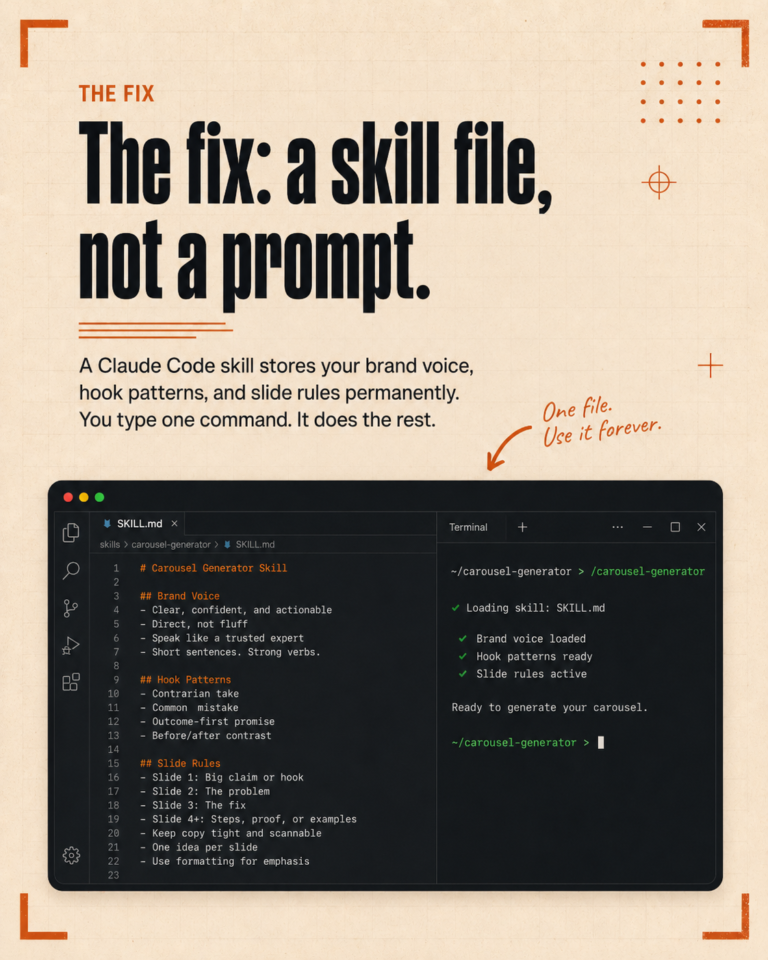
Claude Code is the backbone of our workflow. It is a command-line tool by Anthropic that runs locally on your computer and reads your project files. The reason it works for agency work is persistent context. It knows our clients, their brand voices, our rules, our templates. Every session starts with that context already loaded.
We use it for content creation, SEO audits, client onboarding, proposals, competitor analysis, email sequences, and about 40 other specific tasks we have built skills for. It is the closest thing to having a junior team member who never forgets your brand guidelines.
ChatGPT still has a place. For quick brainstorming, for conversations where you need to think through a problem, for image generation with DALL-E, and for tasks where you do not need project context. If we need to brainstorm 20 headline ideas quickly, ChatGPT is fine. If we need to write a caption that matches a client’s voice and follows 15 rules, it is not.
Canva handles design. AI design tools are improving but for social media graphics, carousels, and quick edits, Canva is still the most practical choice for a small agency. The AI features inside Canva (background removal, Magic Resize) are useful additions, not the core reason we use it.
Apify powers our competitor research and social media auditing. It scrapes public social data (post counts, engagement rates, content types, hashtags) so we can analyze competitors without spending hours scrolling. Claude Code then interprets the data and generates reports.
CapCut for video editing. Straightforward, handles short-form video well, and the auto-captions are decent as a starting point (though we always review and edit them).
Tools we tried and stopped using
Jasper. We used it early on for content generation. The output was generic. Every blog post sounded the same regardless of the client. The templates were rigid and the results needed so much editing that we were not actually saving time. Once we had Claude Code with client-specific context, there was no reason to keep paying for Jasper.
Semrush (for SEO). Good tool, genuinely. But at $130+ per month, the cost is hard to justify when Claude Code handles on-page audits, keyword research, and content optimization for clients whose SEO needs are not enterprise-level. For agencies managing massive sites with complex technical SEO, Semrush still makes sense. For small business clients, it was overkill.
Various AI writing assistants. We tested several over time. The pattern was always the same: decent output when you start, but no memory between sessions, no client context, no persistent rules. You spend more time re-explaining your requirements than you save on the writing itself.
What actually matters when choosing AI tools
After testing enough tools, the selection criteria become clear. Here is what we look for now:
Does it retain context? This is the single biggest differentiator. A tool that remembers your clients, rules, and preferences across sessions will outperform a technically superior tool that starts fresh every time. The first draft from a context-aware tool is closer to publishable than the third draft from a generic one.
Does it fit your actual workflow? A tool can be impressive in a demo and useless in practice. We need tools that work with our file structure, our client folders, our publishing schedule. If adopting a tool means changing how we work to accommodate the tool, the cost is higher than it looks.
What is the real cost per task? Not the subscription price. The actual time cost. A $50/month tool that saves 20 minutes per task across 40 tasks per month is a clear win. A $200/month tool that saves 5 minutes per task is not, even if it has more features.
Can you verify the output quickly? Speed only matters if the output is good enough to review and ship. If you spend 30 minutes checking and rewriting AI-generated content, the “10-second generation” is marketing, not reality.
The honest truth about AI tool comparisons
Most “best AI tools” articles are either sponsored or based on surface-level testing. Someone signs up for a free trial, generates a sample blog post, and declares it the best tool for marketers.
That is not how agency work operates. Agency work means consistency across clients, voice matching, rule adherence, platform-specific formatting, and doing all of that under deadlines. The tool that generates the most impressive single output is not necessarily the tool that works best over 200 tasks per month across multiple clients.
We have also found that the “best” tool changes depending on team size. For solo operators and small agencies (1-3 people), Claude Code with custom skills is hard to beat because the setup investment pays off when one person is doing everything. For larger teams where multiple people need access, browser-based tools with collaboration features might make more sense.
Our current stack and monthly cost
For full transparency, here is what we run and what it costs:
- Claude Code Max: $100/month (core of everything)
- Apify Starter: $49/month (competitor research, social auditing)
- Publer Pro: $12/month (social scheduling)
- Hosting and domain: ~$15/month
- Canva Pro: $13/month
- OpenAI API (occasional use): $5-10/month
Total: roughly $195-200 per month. That covers content creation, SEO, research, scheduling, design, and client management for multiple clients.
How to evaluate tools for your agency
Skip the comparison articles (including this one, honestly). Instead, pick one real task you do repeatedly. Run it through your current process, then through the tool you are considering. Measure the actual time difference. Check the output quality honestly. Do that for a week.
If the tool genuinely saves time and the output is good enough to ship with light editing, keep it. If you find yourself fighting the tool or rewriting its output from scratch, it is not the right fit regardless of what the reviews say.
We went through this process with every tool in our stack. Some lasted a week. Some became permanent on day two. The only way to know is to test with real work.
Want to see how our tool stack works in practice? Book a free call and we will walk you through a live demo.
—POST_END—