The AI marketing workflow demos online look incredible. A single prompt produces a campaign. A button click ships a launch. A chat assistant runs the social calendar.
Real workflows that save hours look nothing like that. They are boring. They run on the same files every week. They get small upgrades, never rewrites.
Here is what we actually run at The Igniting Studio, what makes a workflow useful, and the rules that keep them from rotting.
The Test for a Real Workflow
A workflow is real when three things are true. It runs on a schedule. It produces an output someone uses. It has stayed in the system for at least a month.
Most prompts and demos fail one of those tests. They get used once, they get shared on Twitter, they get forgotten. That is not a workflow. That is a screenshot.
The hour-saving workflows in our studio are the ones that have been running long enough that nobody questions them anymore.
The Five Workflows That Save Us Real Time
Monday content. A script writes the week of LinkedIn posts and schedules them to Publer. It checks our short-form video count from the prior week and reminds us if we missed a target. It runs in under three minutes.
Daily news digest. Every morning the news agent pulls the relevant industry headlines, summarizes them, and pings us with the three that matter. We read it in five minutes instead of scrolling Twitter for thirty.
Caption generation. When a video comes in, the captions skill reads the transcript and produces five platform-ready captions, hashtags, and a thumbnail prompt. Editor time saved per video. About ninety minutes.
Monthly client recap. The reporting skill pulls the past month from the analytics folder and writes a short summary. We tweak the tone and send. Time saved. Two hours per client.
Audit on demand. The competitor audit skill scrapes a competitor handle and produces a structured read in under five minutes. Before, that was a half day.
What These Workflows Have in Common
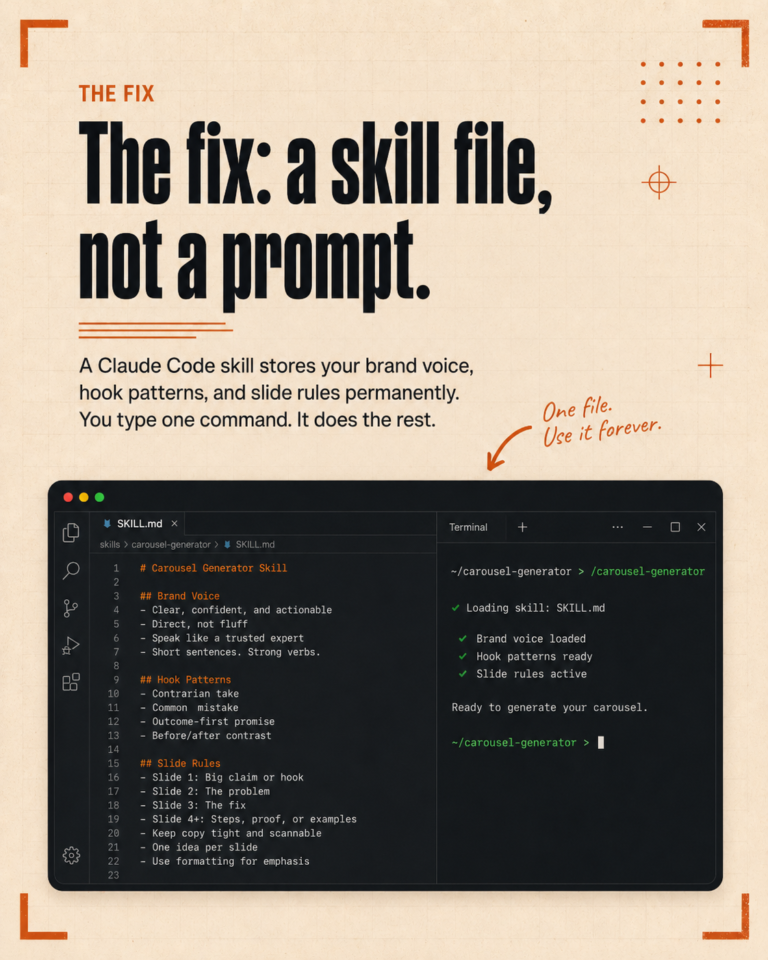
They all run on plain files. No SaaS dashboards. No subscription stack. The data sits in a folder. The rules sit in a markdown skill. The output writes to a file or pushes to one external service.
They all started simple. The first version of every one of these was bad. We ran it, saw what was wrong, edited the file, ran it again. After ten loops, each was useful. After fifty, we stopped thinking about them.
They all have one job. The Monday content script does not also run reports. The reports skill does not also generate captions. One skill, one job. Less drift.
What Kills a Workflow
Scope creep is the biggest killer. A skill that worked beautifully gets a small new requirement, then another, then another. Two months later it is unreliable. The fix is to split it before it gets there.
The second killer is silent failure. If a workflow fails and nobody notices for a week, it has already lost trust. Every workflow that matters should log somewhere visible and fail loudly when it breaks.
The third killer is treating the workflow as untouchable. Skills are markdown files. When they get wrong, open them and fix them. Do not write a wrapper around a broken skill.
The Time We Used to Spend
Before these workflows existed, our Monday was four hours of content prep. Now it is one hour of review. The reports we used to write by hand on a Sunday took six hours total. Now it takes one. Short-form caption work for a client used to fill an afternoon. Now it is twenty minutes.
That is the kind of saving that matters. Not minutes off a single task. Hours off a weekly load.
How to Build Your Own
Pick the task that you do every week and dread. Write down the steps you actually take when you do it. Save them as a markdown skill. Run it. Edit. Run it. Edit.
By the third version, it works. By the tenth, it is reliable. By the thirtieth, it is just part of how you work.
The shortcut is to copy a working skill from someone else. The longer route is to write the skill yourself for your exact way of working. The longer route wins, because the skill that fits your work is the one you will keep using.
If You Want a Shortcut
If you want help mapping your current weekly work to a set of skills, or building the first two for you, we run short setup calls.